共计 2051 个字符,预计需要花费 6 分钟才能阅读完成。
洛雪音乐助手是一款老牌的音乐软件,已经持续更新多年,以前的版本,软件支持直接在线播放音乐,不过因为某些原因,目前的洛雪已经变成了一个壳子。也就是说软件本身不再自动加载任何音乐资源,而是需要用户自己导入音源才能正常使用。
音源这个东西和直播源一样,具有时效性,并非一直有效,也许今天用得好好的,明天可能就用不了,所以需要一直不断更新。这么多音源,用哪个呢?俗话说,鞋合不合适,只有脚知道!很难做到一个音源包括所有平台的歌曲,多测试几个,选自己喜欢的即可。
++++在线音源
1、在线音源-原始链接
| 音源名称 | 音源链接 |
|---|---|
| 音乐下载器v5 | https://api.v2.sukimon.me:19742/script?key=LXMusic_dmsowplaeq |
| SixYin | https://raw.githubusercontent.com/pdone/lx-music-source/main/sixyin/latest.js |
| Huibq① | https://raw.githubusercontent.com/pdone/lx-music-source/main/huibq/latest.js |
| Huibq② | https://raw.niuma666bet.buzz/Huibq/keep-alive/master/render_api.js |
| Flower | https://raw.githubusercontent.com/pdone/lx-music-source/main/flower/latest.js |
| Grass | https://tt.tenmeng.com/moonue/js/yecao202412.js |
2、在线音源-加速链接
| 音源名称 | 音源链接 |
|---|---|
| SixYin | https://ghproxy.net/https://raw.githubusercontent.com/pdone/lx-music-source/main/sixyin/latest.js |
| Huibq | https://ghproxy.net/https://raw.githubusercontent.com/pdone/lx-music-source/main/huibq/latest.js |
| Flower | https://ghproxy.net/https://raw.githubusercontent.com/pdone/lx-music-source/main/flower/latest.js |
| Grass | https://tt.tenmeng.com/moonue/js/yecao202412.js |
| 聚合API接口 | https://api.music.lerd.dpdns.org/script.js |
加速链接仅推荐访问 GitHub 受限的用户使用,如果你的网络可以流畅访问 GitHub,建议直接使用原始链接。
3、其它加速站点
当以上链接无法访问时,可将连接开头的 https://ghproxy.net/ 替换为下边任一地址,然后重试。
https://gh.llkk.cc/
https://github.moeyy.xyz/
https://ghproxy.cn/
https://gh.api.99988866.xyz/
https://ghp.ci/
例如,将 https://ghproxy.net/https://raw.githubusercontent.com/pdone/lx-music-source/main/sixyin/latest.js 链接替换为 https://gh.llkk.cc/https://raw.githubusercontent.com/pdone/lx-music-source/main/sixyin/latest.js
桌面端:
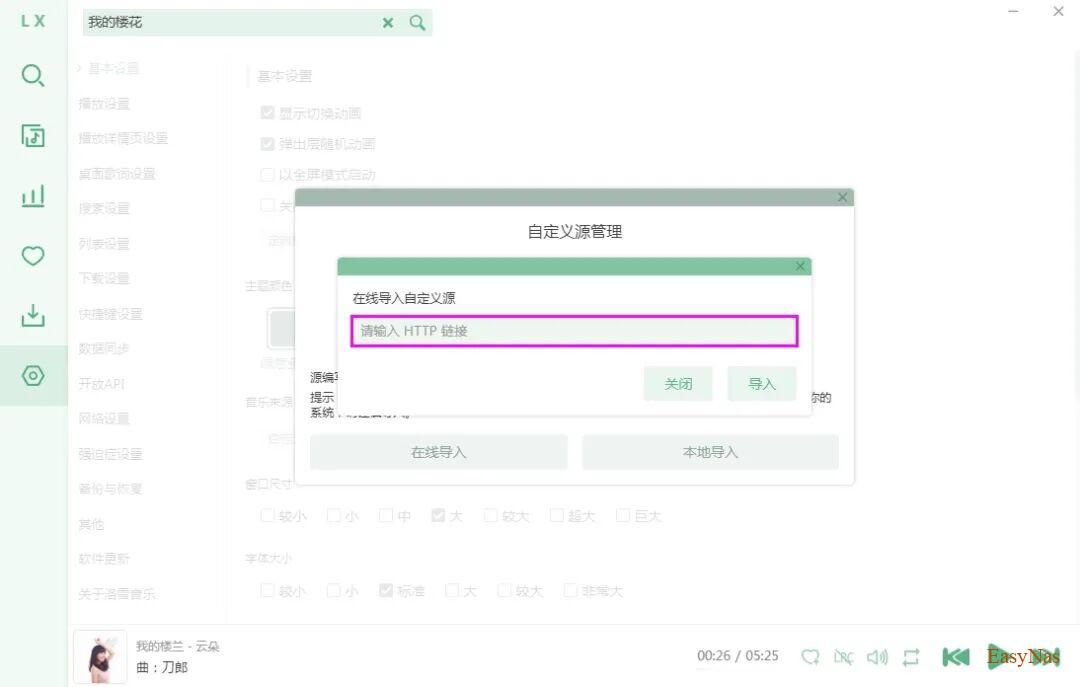
如果你是桌面端Win/Mac等设备,请参考下图教程导入:
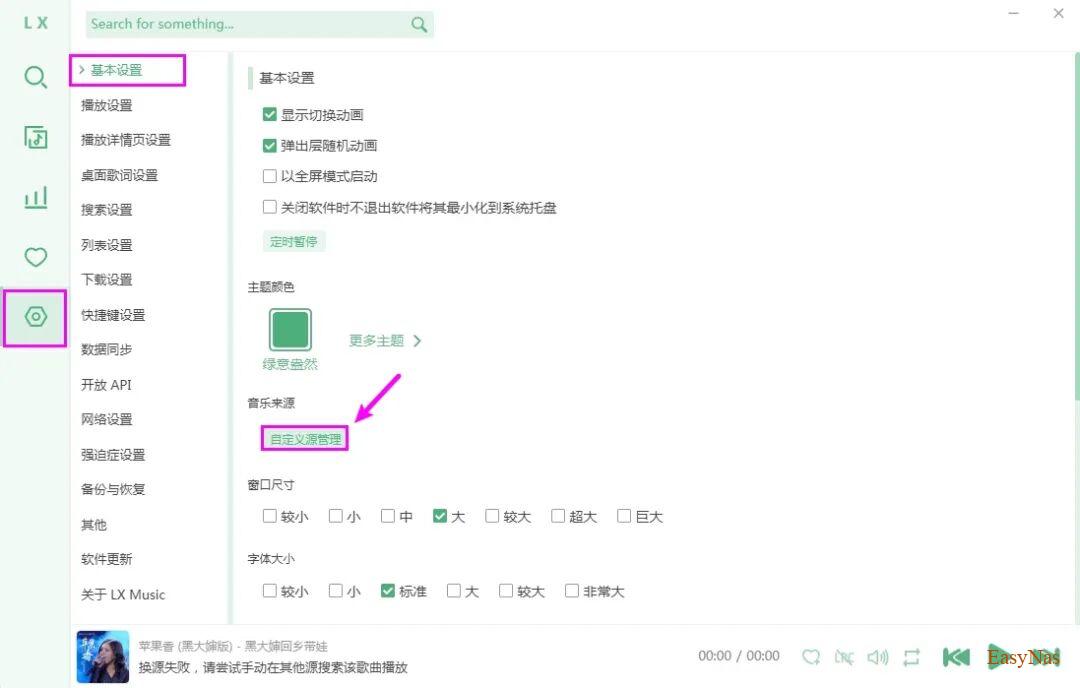
1、打开洛雪音乐软件,依次进入 [设置] – [基本设置] – [音乐来源] – [自定义源管理],如下图。
2、选择 [在线导入],如下图;
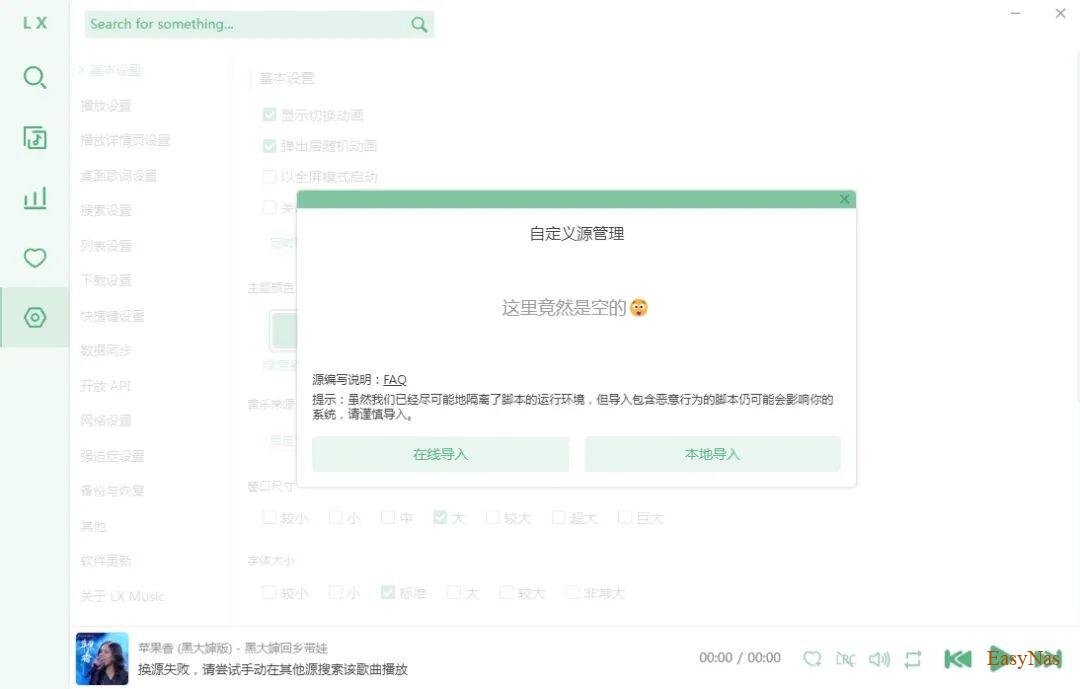
3、粘贴在线音源链接,单击 [导入] 按钮,如下图;
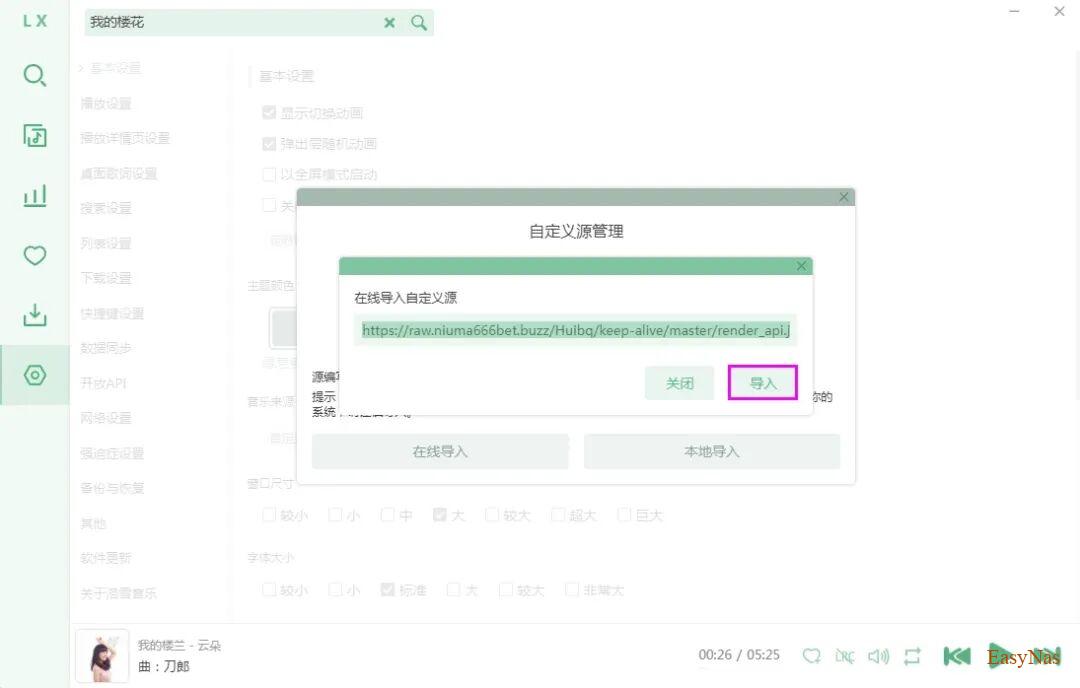
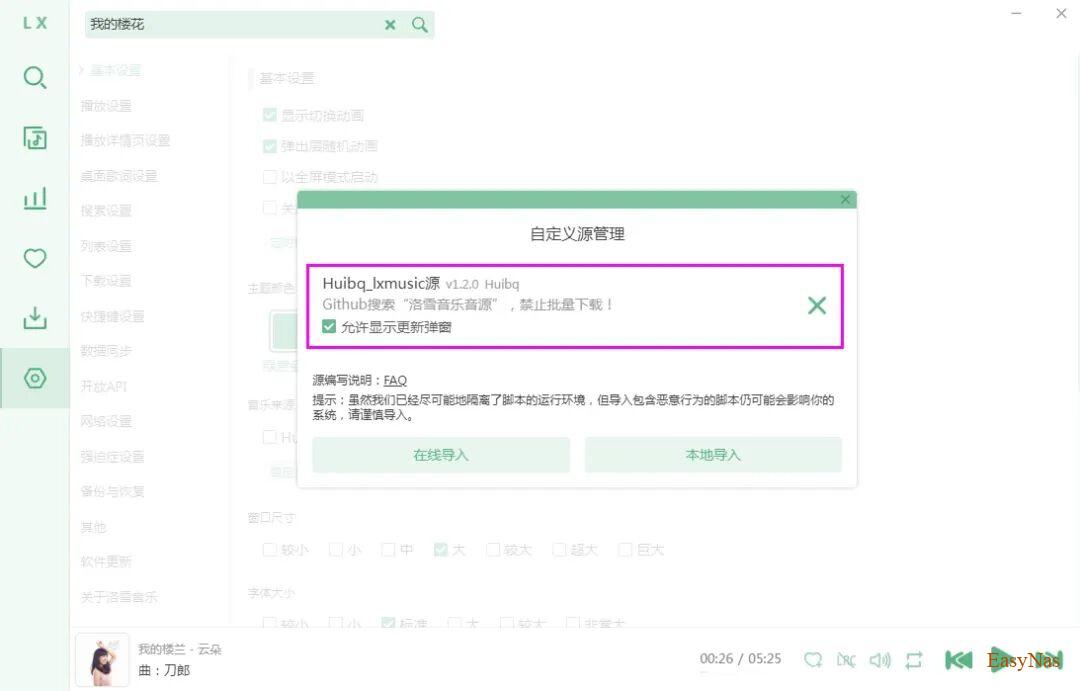
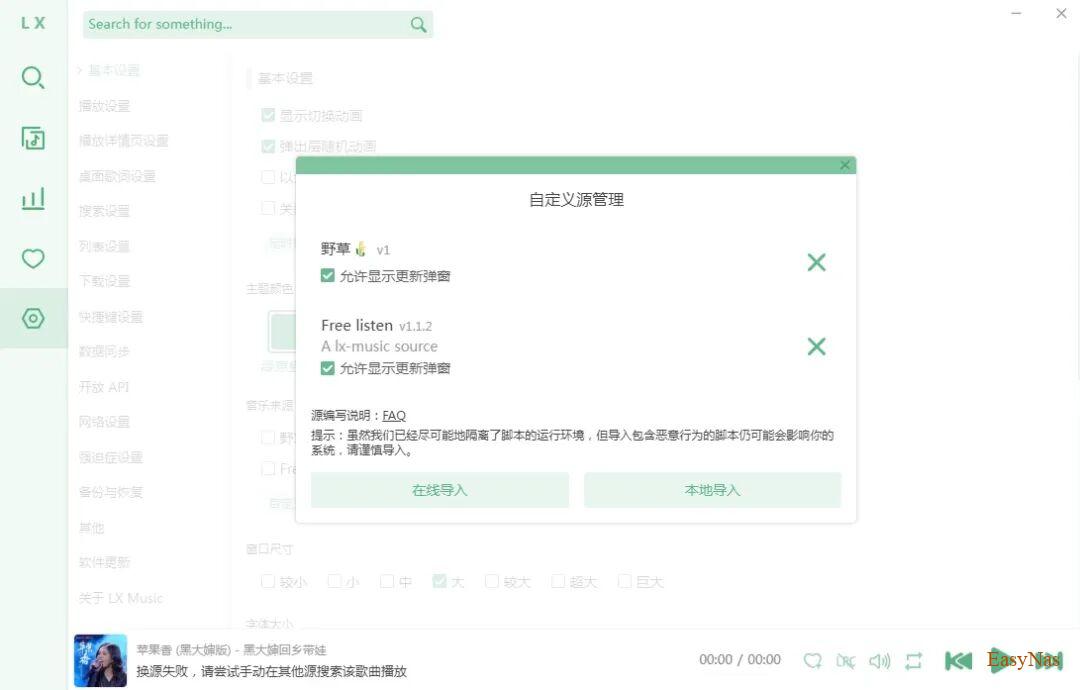
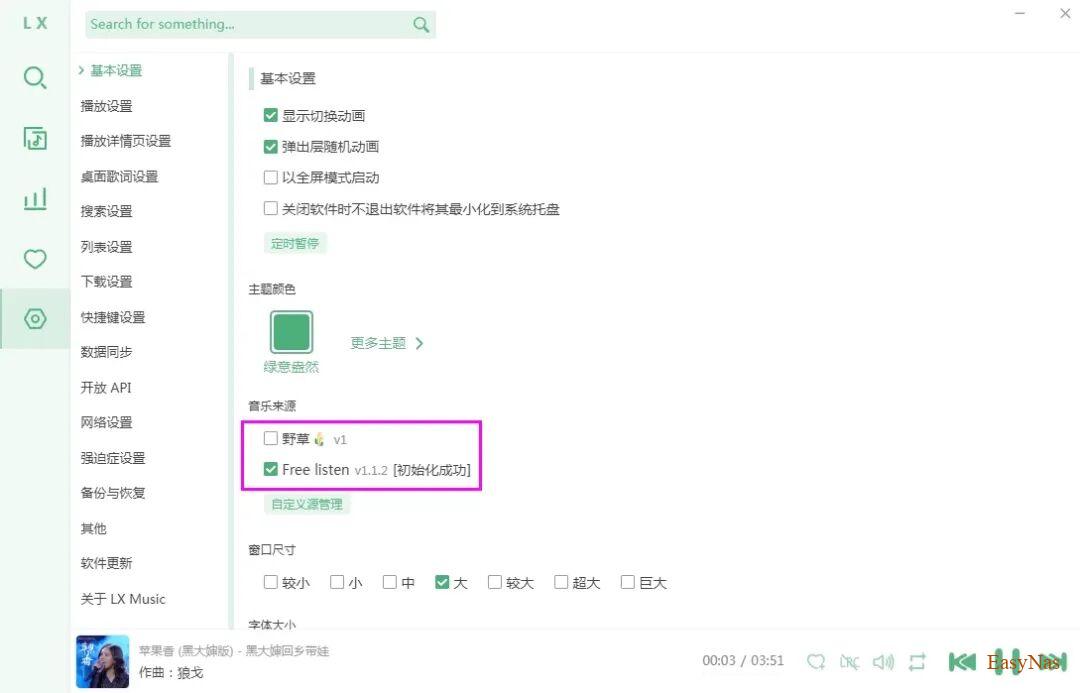
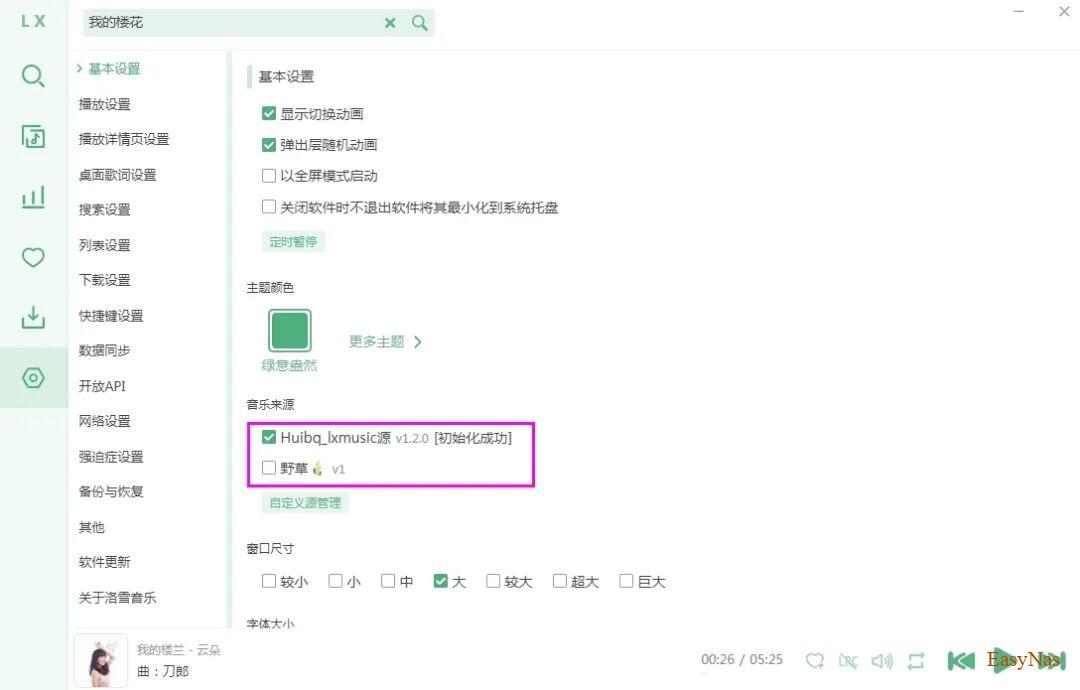
4、选中音源,提示初始化成功即可。
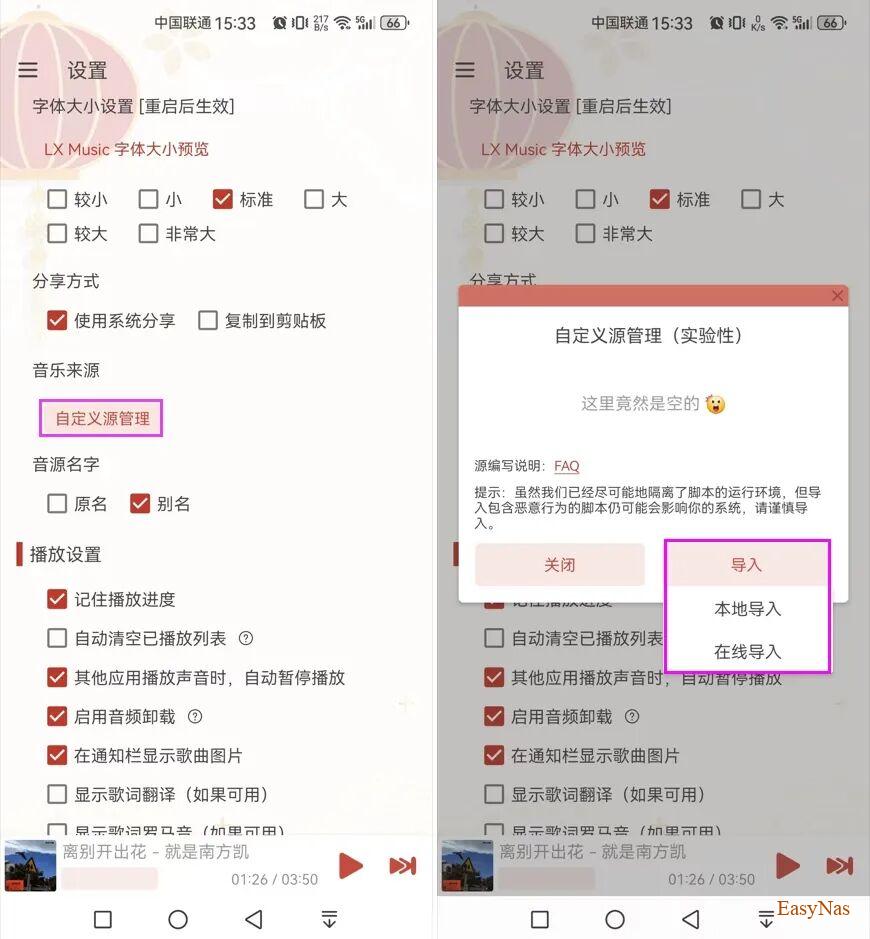
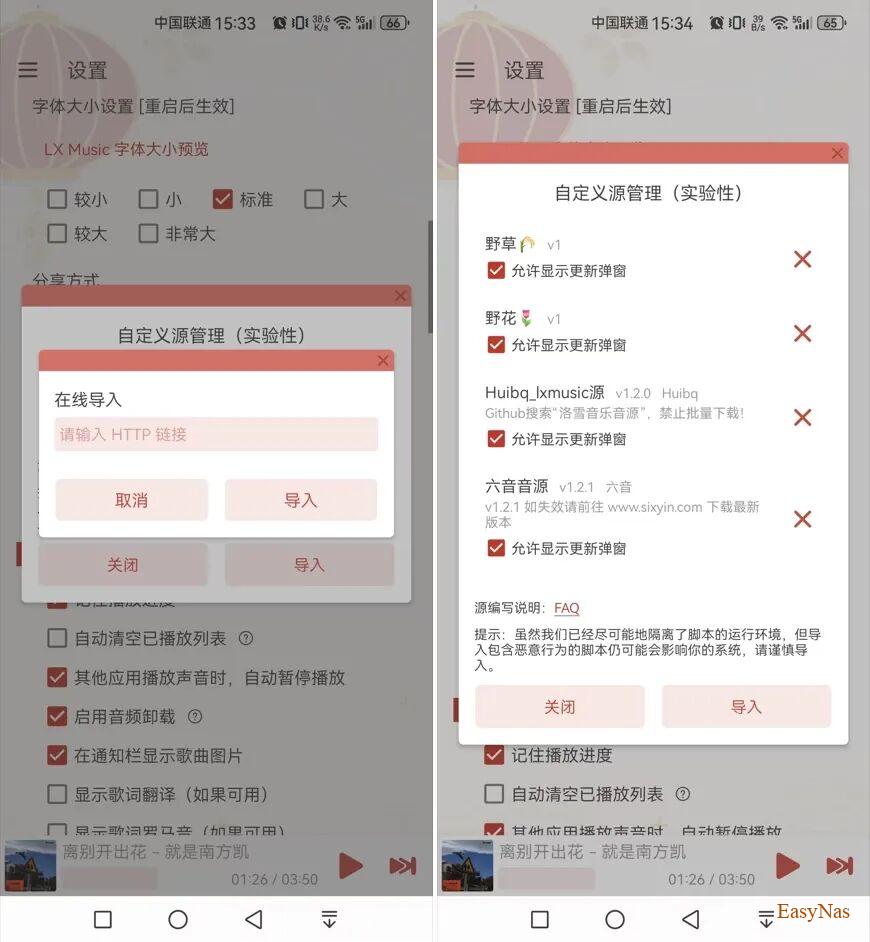
如果你是移动端Android设备,打开洛雪音乐app,依次进入 [设置] – [基本设置] – [音乐来源] – [自定义源管理],选择“导入”即可,如下图。
++++本地音源
倘若您所在网络访问 GitHub 在线音源速度较慢,可以先下载本地音源,然后导入来使用。
使用方法
复制下面链接,转存或者下载到本地即可播放。
【洛雪音源】链接:https://pan.quark.cn/s/5fb39430c59d提取码:3VSP
【洛雪音源】链接: https://url76.ctfile.com/d/63070576-156448959-d3e879?p=9488 (访问密码: 9488)
2、本地音源使用方法
本地音源的使用方法也非常简单,依次进入 [设置] – [基本设置] – [音乐来源] – [自定义源管理],选择“本地导入”即可,如下图。